 GuidedTrack Docs
Custom services allow you to enforce registration limits across multiple program runs, enabling you to cap enrollment for workshops, courses, or events at a specific number of participants.
Example: Workshop Registration with Limited Spots🔗
Suppose you're hosting a workshop with limited capacity and want to accept only the first 30 registrants. You'd like to close registration automatically once that limit is reached. Here's how custom services make this possible.
Step 1: Create a simple registration program🔗
First, we'll build a basic program that collects participant information and sends a confirmation email:
*page
	Welcome to the Design for Beginners Workshop Registration!

	This workshop is designed for people who have never had any formal design training but want to learn the fundamentals. Whether you're looking to improve your personal projects, advance your career, or simply explore a creative outlet, this workshop will give you the foundation you need to start designing with confidence.

	Please note: Registration is limited to 30 participants to ensure personalized attention and meaningful interaction. Spots fill up quickly, so register right away to secure your place!

*page
	*question: What is your name?
		*save: name

	*question: What is your age?
		*type: number
		*after: years
		*save: age

	*question: What is your email?
		*tip: This is the email that will be used for communications.
		*save: email

*question: What's your interest in the workshop?
	*type: paragraph
	*save: interest

*email
	*to: {email}
	*subject: Workshop Registration Confirmation
	*body
		Hi {name},

		Thank you for registering for our workshop!

		We've received your registration and look forward to seeing you there.

		Best regards,
		The Workshop Team

Registration complete! Check your email for confirmation.
The program greets participants, collects their name, age, email and interest, and sends them a confirmation email when they're done. Right now it has no concept of limits — anyone who runs it can register, and there's no way to close it once a certain number of people have signed up. That's what we'll fix in the steps ahead.
Without custom services, managing registration limits was cumbersome. You'd have to manually track how many people registered by checking the program runs, then update the program code to display a "registration closed" message once the limit was reached. This manual process was error-prone and meant registrations could exceed your intended capacity before you had a chance to close them. Custom services solve this by automating quota enforcement in real-time.
Step 2: Create the Design Workshop Registration Manager custom service🔗
Next, create a custom service to manage registrations. We'll call it "Design Workshop Registration Manager."
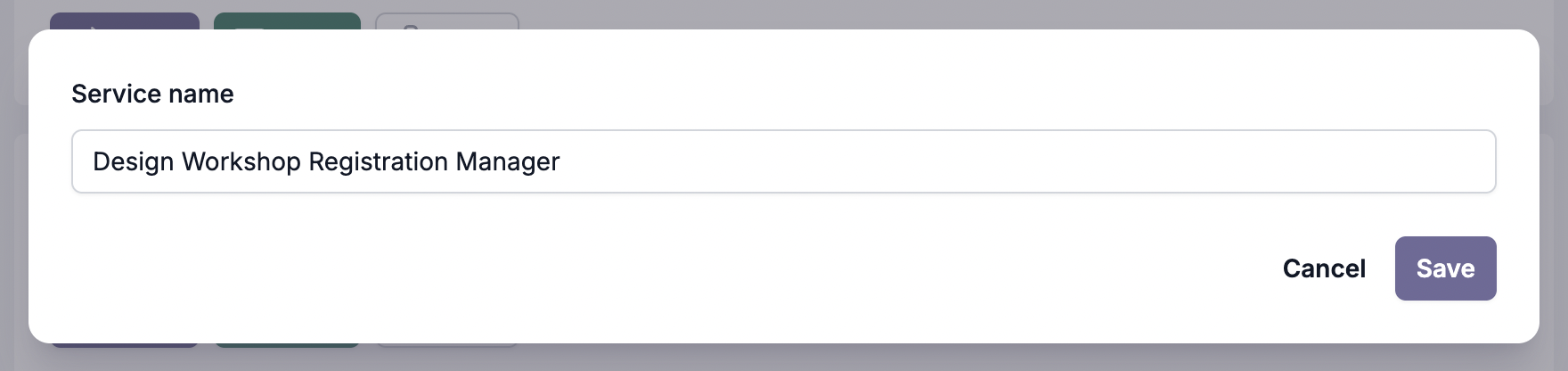
For more information on creating custom services, see Custom Services - Setting Up.
After creating the service, you'll be taken to the Tables page.
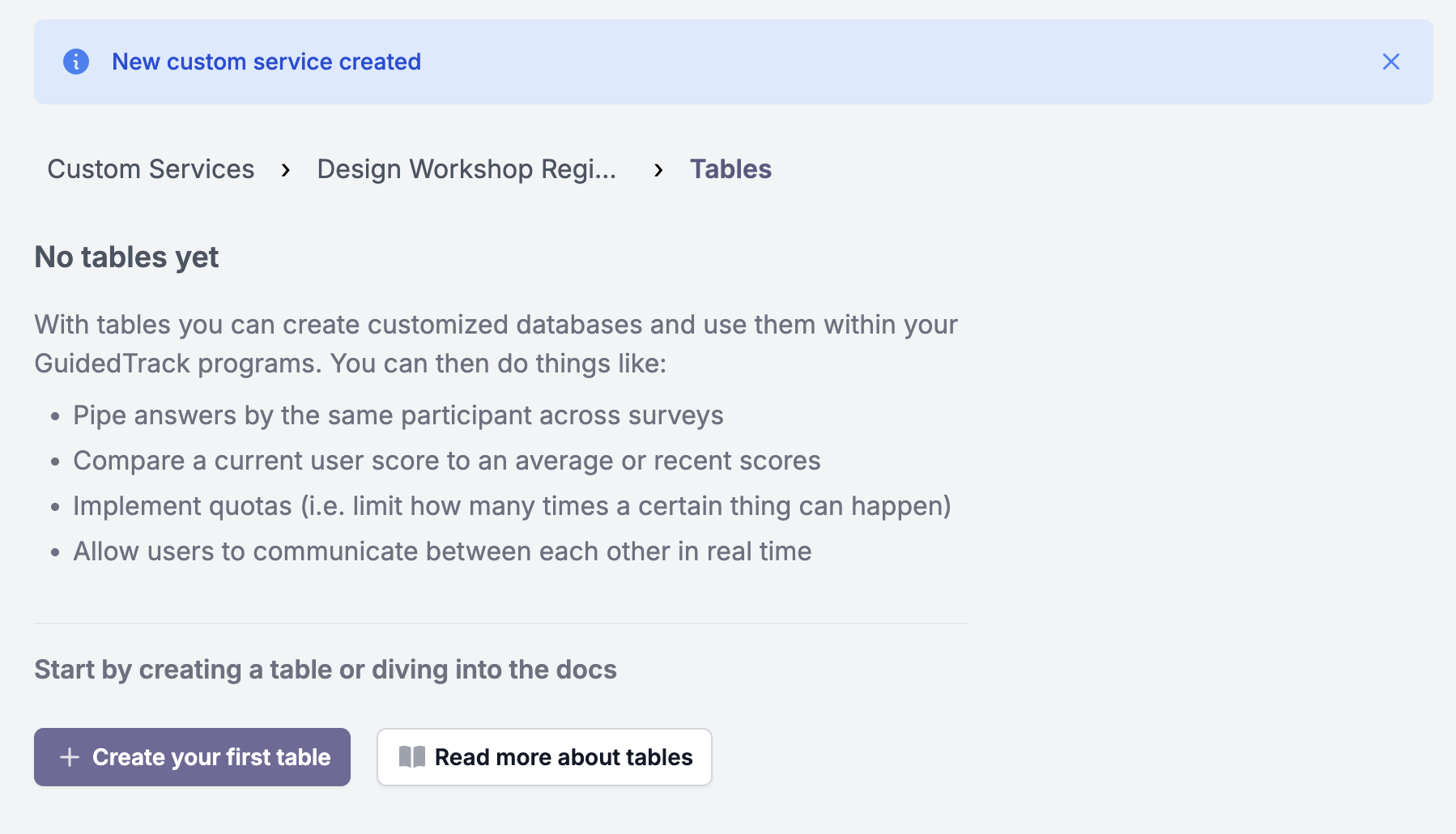
It's empty for now, which is expected — tables are where your service stores data across program runs. In our case, we'll use a table to keep a record of every registration, so that we can count them and enforce the limit. Let's create that table next.
Step 3: Create the registrations table and save route🔗
Now we're ready to set up the table. Click to create a new table and name it registrations. When creating a table, GuidedTrack offers to generate common routes for you automatically. Check the "Create new records" option — this will create a route that saves new registrations to the table.
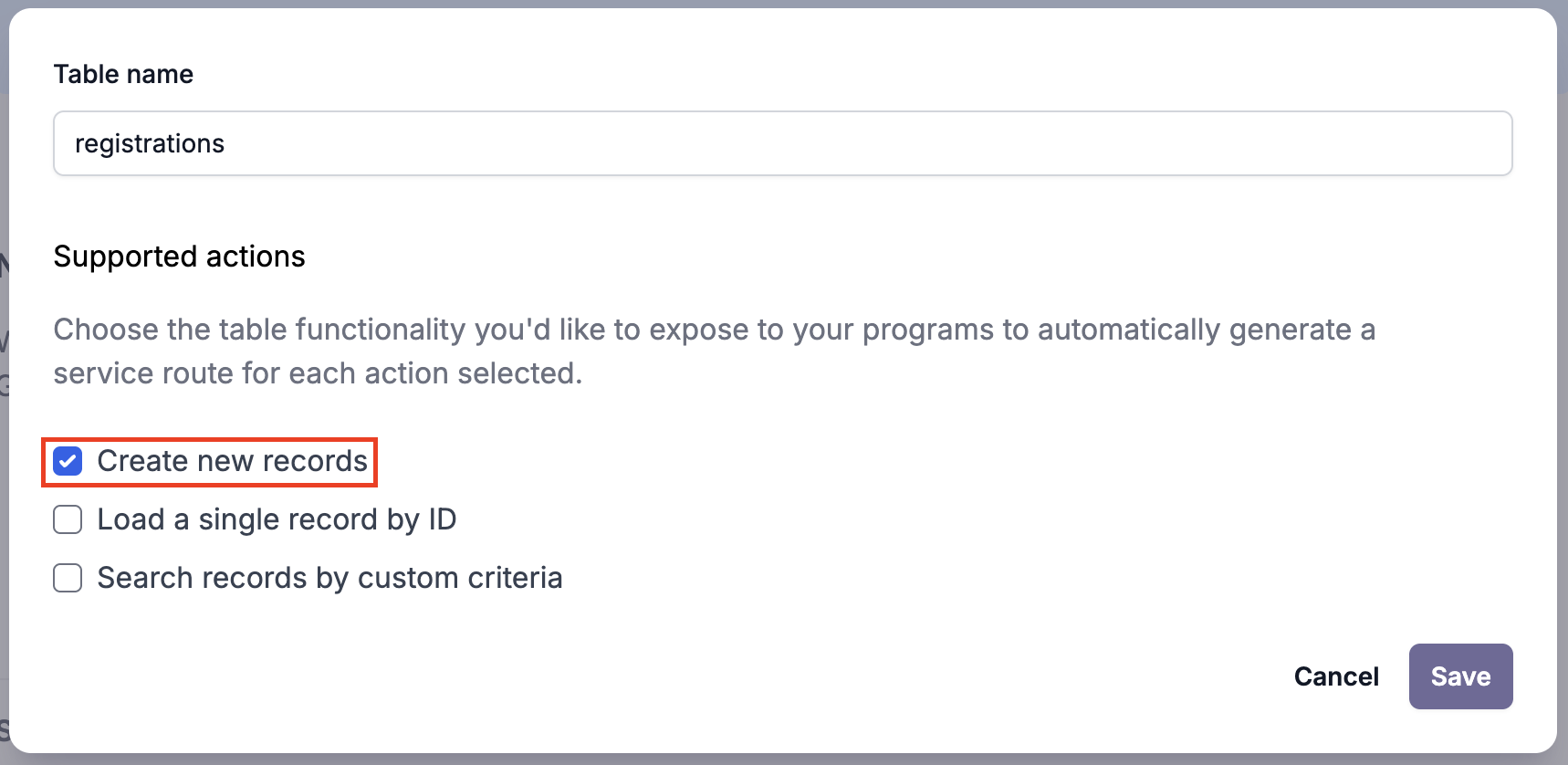
Once the table is created, the page will refresh to show it. The table is empty for now — it will start filling up once we connect the program and participants begin registering. Before we do that, let's take a look at the route that was generated for us. Click the service name in the breadcrumb to go back to the service overview:
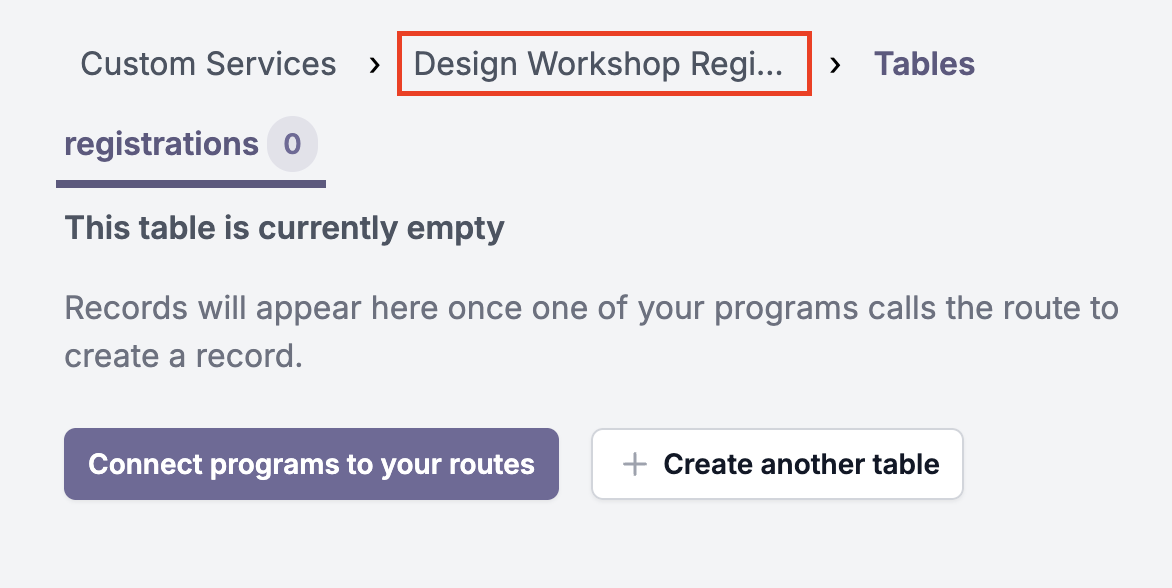
Then click the route to open it:
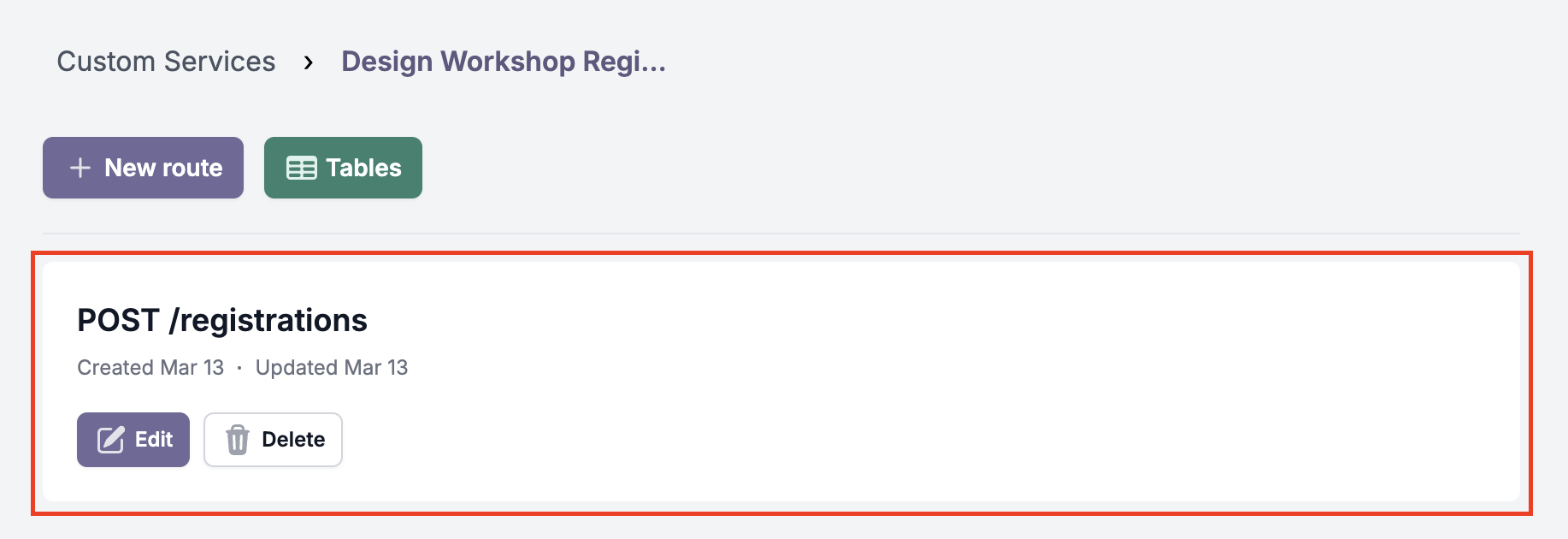
The route was automatically created based on the table you set up:
import guidedtrack from "guidedtrack-db";

export const handler = async (event) => {
  var data_sent = JSON.parse(event.body);
  return await guidedtrack.table("registrations").insert(data_sent).response();
};
Here's what it does:
import guidedtrack from "guidedtrack-db"— loads the database library.var data_sent = JSON.parse(event.body)— reads the data your GuidedTrack program will send (the participant's name, email, etc.) and parses it.guidedtrack.table("registrations").insert(data_sent)— saves that data as a new row in theregistrationstable.
This route is accessible at POST /registrations. In the next step, your program will call it each time someone submits the registration form.
Step 4: Connect the workshop manager service to your program🔗
Head to the Programs page and connect your custom service to the program.
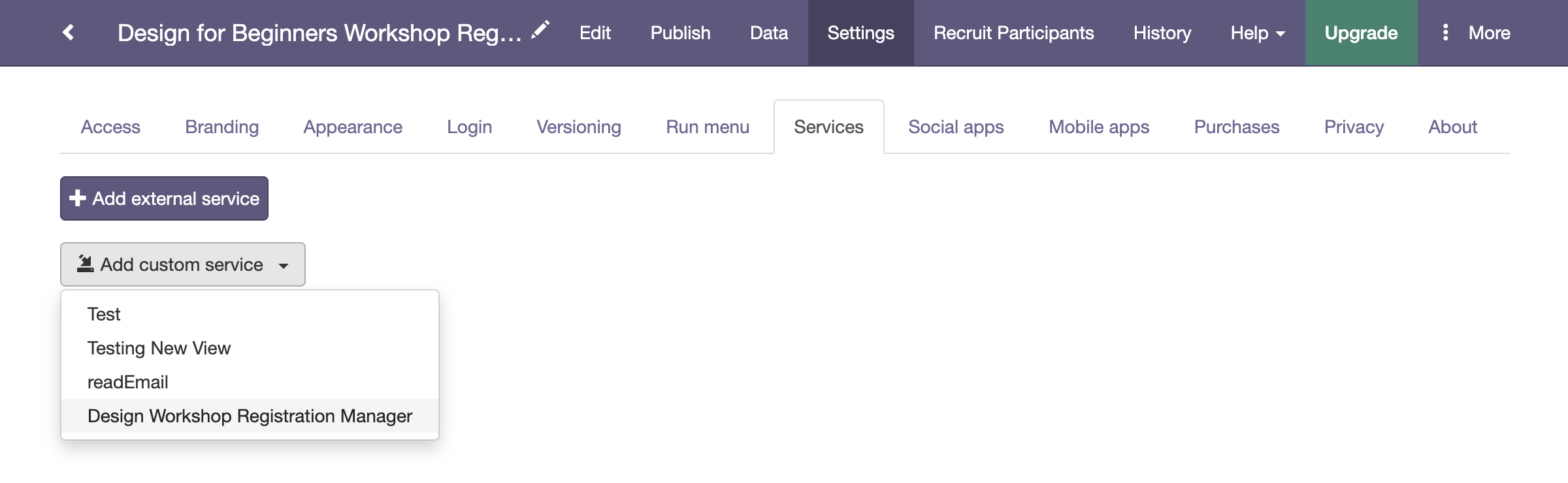
Now add the following to your program, right after the questions and before the *email block:
*service: Design Workshop Registration Manager
	*path: /registrations
	*method: POST
	*send: { "name" -> name, "age" -> age, "interest" -> interest, "email" -> email }
	*success
		Successfully saved your registration!
	*error
		You got an error: {it}

*wait: 2.seconds

*clear
Here's what the *service block does:
*service: Design Workshop Registration Manager— the name of the custom service to call. This must exactly match the service name you created in Step 2.*path: /registrations— which route to call. This matches the route generated in Step 3.*method: POST— POST is used when you're sending data (as opposed to just reading it).*send: { "name" -> name, ... }— the data to send to the route. The left side ("name","age", etc.) is what the field will be called in the database; the right side (name,age, etc.) is the variable from your program. If your program uses different variable names, update the right side to match. If you're collecting different information, update both sides accordingly.*success— what to show if the save succeeded.*error— what to show if something went wrong.{it}displays the error message returned by the route.
The parts to adapt for your own program are: the service name after *service:, the fields in *send (update the right side to match your variable names, and add or remove entries to match what you collect), and the *success/*error messages.
Your full program should now look like this:
*page
	Welcome to the Design for Beginners Workshop Registration!

	This workshop is designed for people who have never had any formal design training but want to learn the fundamentals. Whether you're looking to improve your personal projects, advance your career, or simply explore a creative outlet, this workshop will give you the foundation you need to start designing with confidence.

	Please note: Registration is limited to 30 participants to ensure personalized attention and meaningful interaction. Spots fill up quickly, so register right away to secure your place!

*page
	*question: What is your name?
		*save: name

	*question: What is your age?
		*type: number
		*after: years
		*save: age

	*question: What is your email?
		*tip: This is the email that will be used for communications.
		*save: email

*question: What's your interest in the workshop?
	*type: paragraph
	*save: interest

*service: Design Workshop Registration Manager
	*path: /registrations
	*method: POST
	*send: { "name" -> name, "age" -> age, "interest" -> interest, "email" -> email }
	*success
		Successfully saved your registration!
	*error
		You got an error: {it}

*wait: 2.seconds

*clear

*email
	*to: {email}
	*subject: Workshop Registration Confirmation
	*body
		Hi {name},

		Thank you for registering for our workshop!

		We've received your registration and look forward to seeing you there.

		Best regards,
		The Workshop Team

Registration complete! Check your email for confirmation.
Your registrations are now being saved to the registrations table. You can view this data by navigating to the Custom Services page, finding the Design Workshop Registration Manager service, and clicking "Tables."

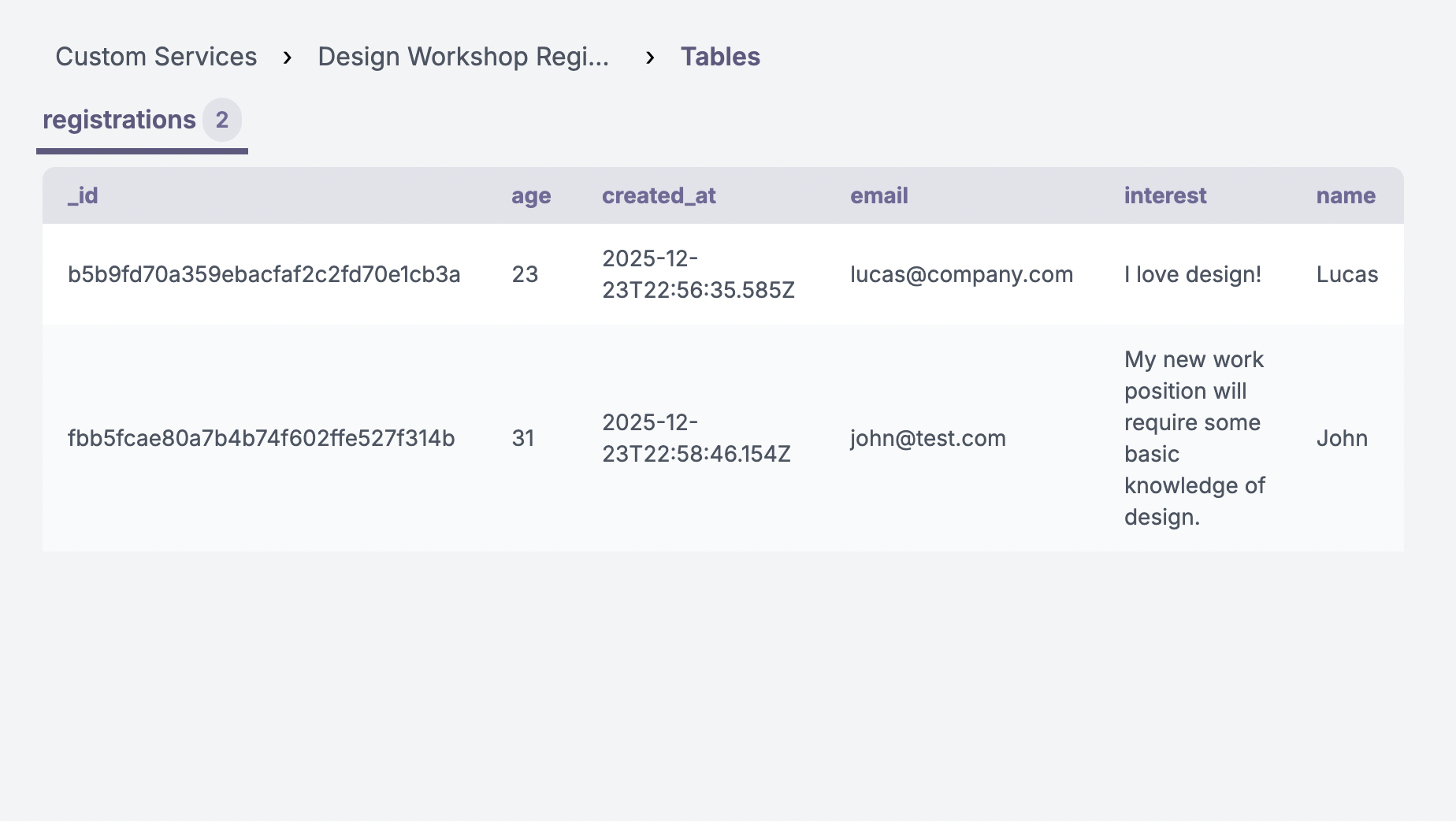
Step 5: Create a route to check registration count🔗
We'll also need a route that returns the current number of registrations, so the program can check whether the quota has been reached before showing the form. Back in the service, go to the Routes section and create a new route under /registrations/count using the GET method.
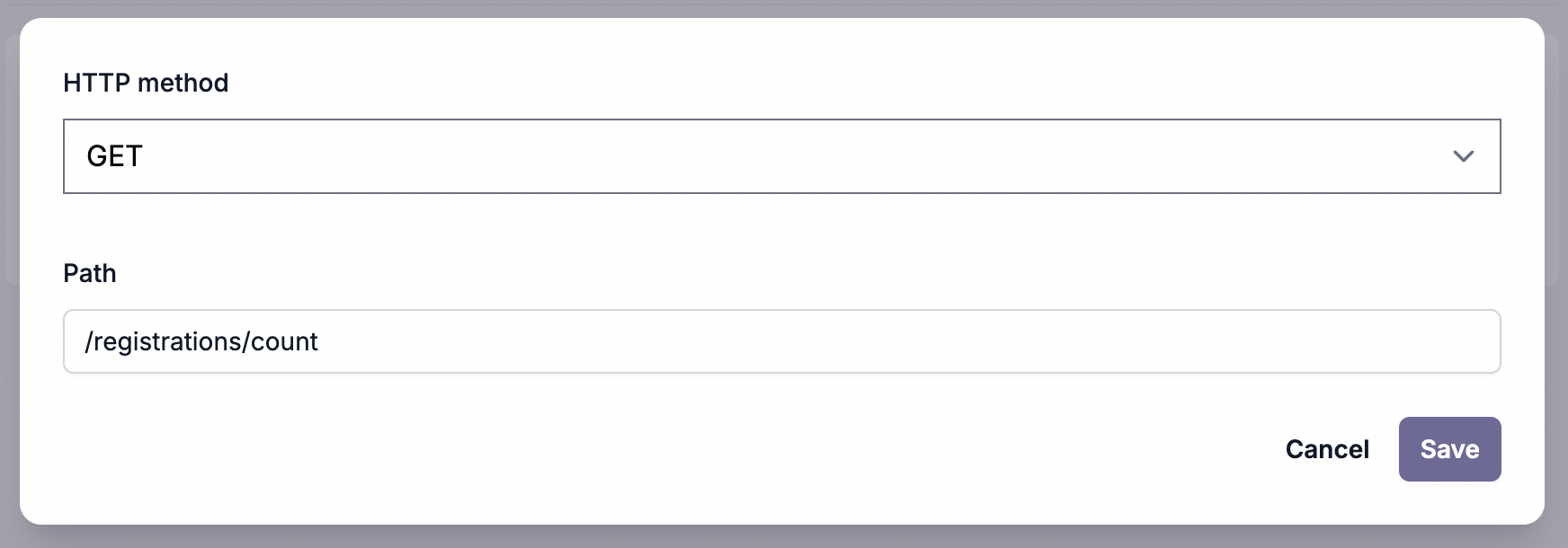
For more information on creating routes, see Custom Services - Creating Routes.
Paste this code into the route's code editor:
import guidedtrack from "guidedtrack-db";

export const handler = async (event) => {
  const count = await guidedtrack.table("registrations").count();

  return {
    statusCode: 200,
    body: count
  };
};
You'll recognise the structure from the generated route in Step 3 — the same import and handler pattern, just using .count() instead of .insert(). This returns the total number of rows in the registrations table.
No changes are needed here unless you used a different table name in Step 3 — if so, update "registrations" to match.
Step 6: Enforce the registration quota🔗
Now we'll update the program to call the count route at the very beginning and block new registrations if the limit has been reached. Back in your program, add the following at the very top:
>> registration_count = 0
>> max_registrations = 30

*service: Design Workshop Registration Manager
	*path: /registrations/count
	*method: GET
	*success
		>> registration_count = it
	*error
		You got an error: {it}

*if: registration_count >= max_registrations
	We're sorry, but registration for this workshop is now closed. We've reached our capacity of 30 participants.

	Please check back for future workshop announcements!
	*goto: end
And add *label: end at the very bottom of the program.
Here's how this works:
>> registration_count = 0and>> max_registrations = 30— set up two variables.registration_countstarts at 0 and will be updated with the real count in a moment.max_registrationsis your quota — change 30 to whatever your limit is.- The
*serviceblock calls the/registrations/countroute. On success,>> registration_count = itstores the returned count into theregistration_countvariable. (itis the value returned by the route.) *if: registration_count >= max_registrations— if the count has hit the limit, the user sees a "registration closed" message and the program jumps to*label: end, skipping the registration form entirely.- If the count is below the limit, the program continues as normal — the user fills out the form, and the
*serviceblock from Step 4 saves their registration.
The things to adapt are: max_registrations = 30 (set this to your capacity limit), the service name in both *service: lines, and the "registration closed" message.
Your full program should now look like this:
>> registration_count = 0
>> max_registrations = 30

*service: Design Workshop Registration Manager
	*path: /registrations/count
	*method: GET
	*success
		>> registration_count = it
	*error
		You got an error: {it}

*if: registration_count >= max_registrations
	We're sorry, but registration for this workshop is now closed. We've reached our capacity of 30 participants.

	Please check back for future workshop announcements!
	*goto: end

*page
	Welcome to the Design for Beginners Workshop Registration!

	This workshop is designed for people who have never had any formal design training but want to learn the fundamentals. Whether you're looking to improve your personal projects, advance your career, or simply explore a creative outlet, this workshop will give you the foundation you need to start designing with confidence.

	Please note: Registration is limited to 30 participants to ensure personalized attention and meaningful interaction. Spots fill up quickly, so register right away to secure your place!

*page
	*question: What is your name?
		*save: name

	*question: What is your age?
		*type: number
		*after: years
		*save: age

	*question: What is your email?
		*tip: This is the email that will be used for communications.
		*save: email

*question: What's your interest in the workshop?
	*type: paragraph
	*save: interest

*service: Design Workshop Registration Manager
	*path: /registrations
	*method: POST
	*send: { "name" -> name, "age" -> age, "interest" -> interest, "email" -> email }
	*success
		Successfully saved your registration!
	*error
		You got an error: {it}

*wait: 2.seconds

*clear

*email
	*to: {email}
	*subject: Workshop Registration Confirmation
	*body
		Hi {name},

		Thank you for registering for our workshop!

		We've received your registration and look forward to seeing you there.

		Best regards,
		The Workshop Team

Registration complete! Check your email for confirmation.

*label: end
Step 7: Securing the registration route (optional but recommended)🔗
The quota check in Step 6 works well under normal circumstances. However, someone with technical knowledge could potentially call your /registrations route directly (bypassing the program's initial check) and sneak in a registration after the quota is already full. To prevent this, you can add a second quota check inside the route itself.
For most use cases, Step 6 is sufficient — this step is only needed if you're concerned about edge cases or want extra protection.
Update the route code🔗
Back in the service, go to the /registrations route generated in Step 3 and replace its code with this:
import guidedtrack from "guidedtrack-db";

export const handler = async (event) => {
  const max_registrations = 30;
  const count = await guidedtrack.table("registrations").count();

  if (count >= max_registrations)
    return {
      statusCode: 403,
      body: JSON.stringify({ error: "This workshop has already reached the maximum number of enrollments!" })
    }

  const data_sent = JSON.parse(event.body);
  return await guidedtrack.table("registrations").insert(data_sent).response();
};
This route now checks the count before inserting a new registration. If the quota is already full, it returns a 403 error with a message instead of saving the data. Update max_registrations to match your limit, and feel free to change the error message text — just keep the surrounding JSON.stringify({ error: "..." }) structure intact.
Update the program code🔗
Because the route can now return an error even after the user fills out the form (if two people register at the exact same moment and one sneaks past the quota), we need to handle that gracefully. Back in your program, update the *service block from Step 4 to capture any error, and add a check right after it:
>> registration_error = "N/A"
*service: Design Workshop Registration Manager
	*path: /registrations
	*method: POST
	*send: { "name" -> name, "age" -> age, "interest" -> interest, "email" -> email }
	*success
		Successfully saved your registration!
	*error
		>> registration_error = it["error"]
		You got an error: {it}

*if: not registration_error = "N/A"
	*goto: end
>> registration_error = "N/A"— sets a variable to track whether an error occurred."N/A"is just a placeholder meaning "no error yet."- In the
*errorblock,>> registration_error = it["error"]captures the error message returned by the route. Then*if: not registration_error = "N/A"checks if an error was set — and if so, skips the confirmation email and jumps to*label: end. This prevents the user from receiving a confirmation email for a registration that didn't actually go through.
Your full program should now look like this:
>> registration_count = 0
>> max_registrations = 30

*service: Design Workshop Registration Manager
	*path: /registrations/count
	*method: GET
	*success
		>> registration_count = it
	*error
		You got an error: {it}

*if: registration_count >= max_registrations
	We're sorry, but registration for this workshop is now closed. We've reached our capacity of 30 participants.

	Please check back for future workshop announcements!
	*goto: end

*page
	Welcome to the Design for Beginners Workshop Registration!

	This workshop is designed for people who have never had any formal design training but want to learn the fundamentals. Whether you're looking to improve your personal projects, advance your career, or simply explore a creative outlet, this workshop will give you the foundation you need to start designing with confidence.

	Please note: Registration is limited to 30 participants to ensure personalized attention and meaningful interaction. Spots fill up quickly, so register right away to secure your place!

*page
	*question: What is your name?
		*save: name

	*question: What is your age?
		*type: number
		*after: years
		*save: age

	*question: What is your email?
		*tip: This is the email that will be used for communications.
		*save: email

*question: What's your interest in the workshop?
	*type: paragraph
	*save: interest

>> registration_error = "N/A"
*service: Design Workshop Registration Manager
	*path: /registrations
	*method: POST
	*send: { "name" -> name, "age" -> age, "interest" -> interest, "email" -> email }
	*success
		Successfully saved your registration!
	*error
		>> registration_error = it["error"]
		You got an error: {it}

*if: not registration_error = "N/A"
	*goto: end

*wait: 2.seconds

*clear

*email
	*to: {email}
	*subject: Workshop Registration Confirmation
	*body
		Hi {name},

		Thank you for registering for our workshop!

		We've received your registration and look forward to seeing you there.

		Best regards,
		The Workshop Team

Registration complete! Check your email for confirmation.

*label: end
With this server-side check in place, your registration system is fully protected. Even if someone tries to bypass the program's initial quota check, the route itself will reject registrations once the limit is reached.
That's it! Your program now automatically enforces the 30-person registration limit. Once 30 people have registered, new visitors will see the "registration closed" message instead of the registration form.
You could also improve the program by checking if the user is already registered as to avoid duplicates, enforcing registration by a date limit too, etc.
Next: Compare a user's result against others using custom services