 GuidedTrack Docs
Captcha Questions🔗
You can add a Google reCAPTCHA "I'm not a robot" checkbox to your program to verify that a participant is human before they continue. Set the *type to "captcha":
*question: Please verify you are not a robot. *type: captchaWhen users reach this question, they'll see a reCAPTCHA checkbox widget. The program won't advance until the user successfully completes the captcha — there's no separate submit button. Once they solve it, GuidedTrack verifies the response server-side before the program continues.
If the token expires or is rejected, the widget resets and must be solved again before the program can advance.
The question text above the widget is optional, but it's a good idea to include it so users understand what they're being asked to do.
You can capture the result using *save. When the captcha is solved successfully, the saved value will be the string "true".
*question: Please verify you are not a robot. *type: captcha *save: captchaResultGuidedTrack only supports reCAPTCHA v2 — specifically the "I'm not a robot" checkbox. reCAPTCHA v3 works differently: it runs silently in the background and assigns a risk score based on user behavior across a site. That approach works well for high-traffic websites with lots of behavioral data to draw from, but it's a poor fit for GuidedTrack programs, which are typically run by a specific person on a one-off basis rather than visited repeatedly at scale. The checkbox gives users a clear, explicit verification step instead of relying on scoring.
Custom Domain Support🔗
Programs hosted on guidedtrack.com work with GuidedTrack's default reCAPTCHA key — no configuration needed.
If your program is embedded on a custom domain, you'll need to register your own reCAPTCHA v2 keys with Google and enter them in your program's settings:
- Go to google.com/recaptcha/admin/create
- Choose reCAPTCHA v2 → "I'm not a robot" Checkbox
- Add the domain(s) your program is hosted on
- Copy both the Site Key and the Secret Key
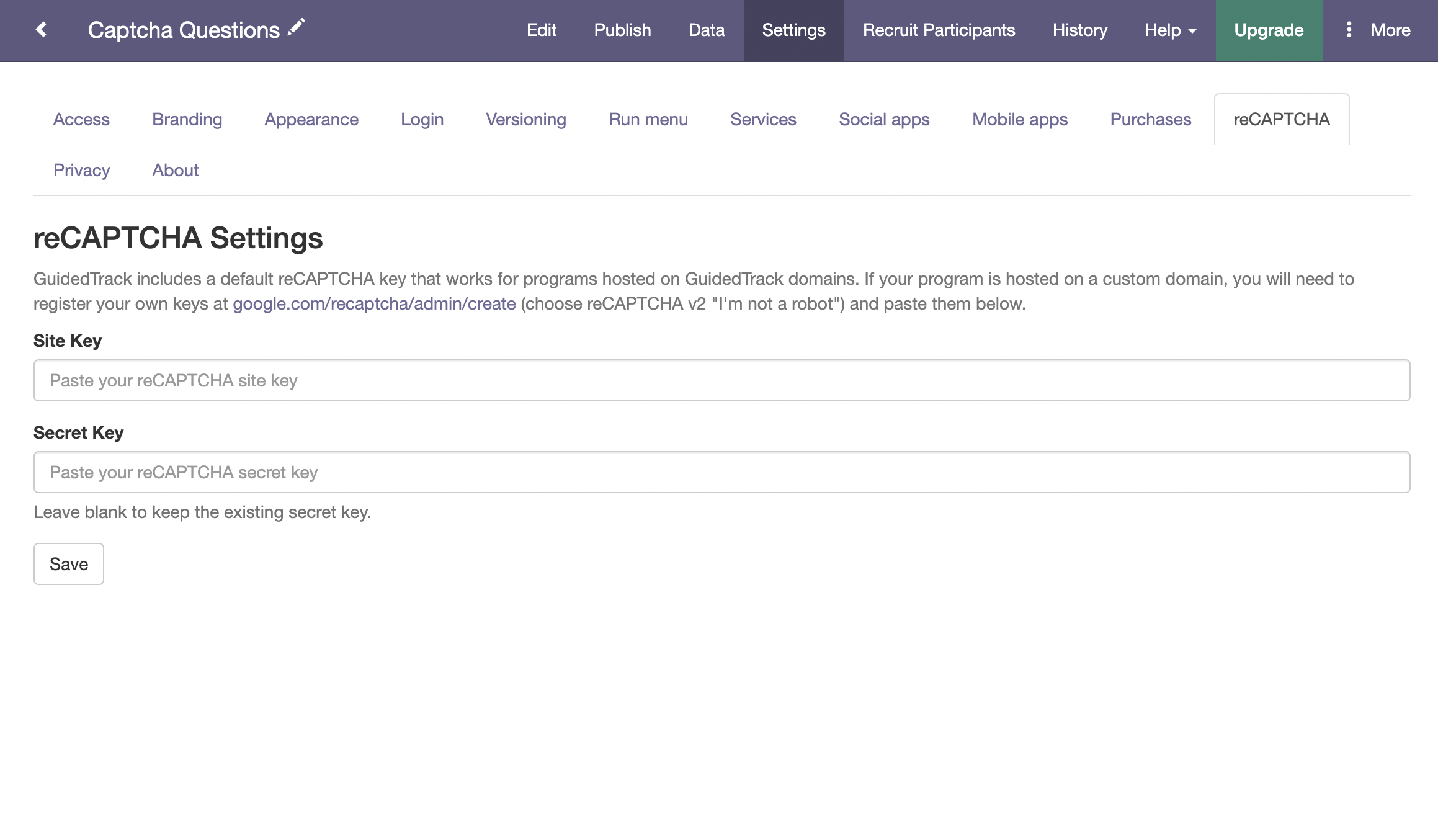
Then, in your program, go to Program Settings → reCAPTCHA and enter both keys:
Next: Additional keywords